Every cargo space.
Perfectly
packed.
STAPEL MAXX calculates the optimal loading plan for trucks, containers and pallets in seconds — with 3D simulation, axle load and dangerous goods in view.
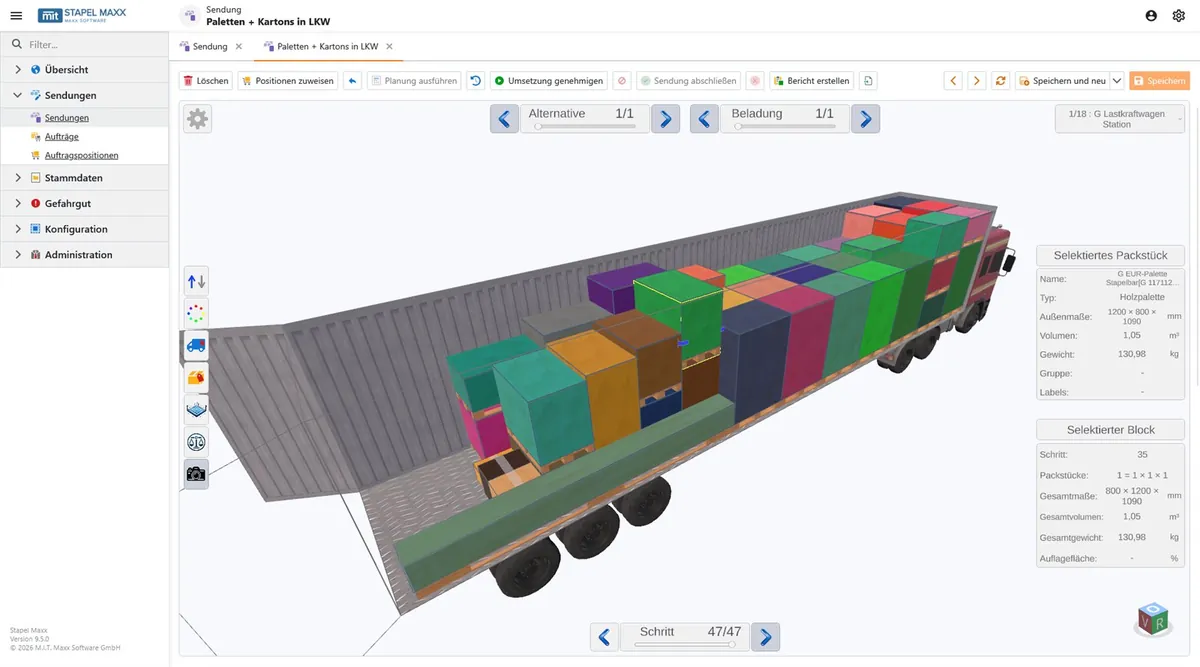
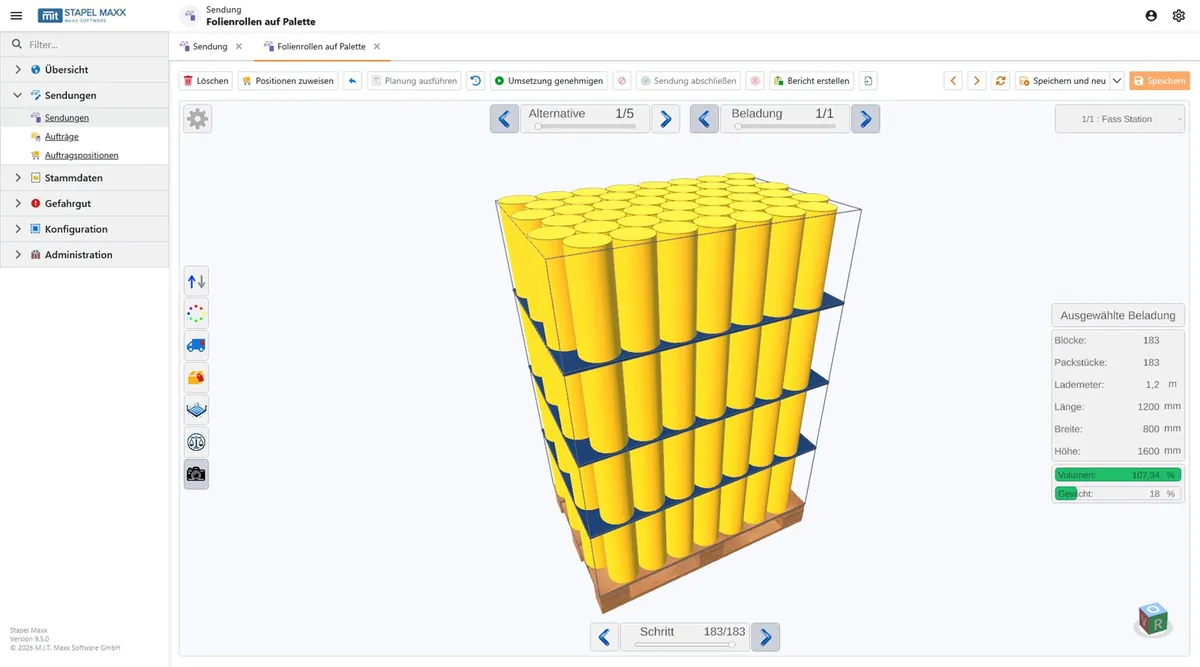











Does this sound familiar?
We know these problems from numerous conversations with shipping and logistics managers.
Wasted cargo space
Empty space in the truck costs real money — unused capacity on every single trip.
Transport damage
Incorrectly stacked or secured goods lead to breakage, complaints and trouble.
Hours of planning
Planning loads by hand takes time — and is rarely truly optimal in the end.
Too many trips
Poor utilization means more tours, more costs and more emissions.
Dangerous goods & axle load
Meeting dangerous goods rules and axle load limits manually is error-prone.
Isolated tool without integration
Load planning separate from ERP and warehouse means duplicate data entry.
Every cargo space. Optimally used.
STAPEL MAXX simulates, optimizes and visualizes the load — modular and flexibly adaptable.
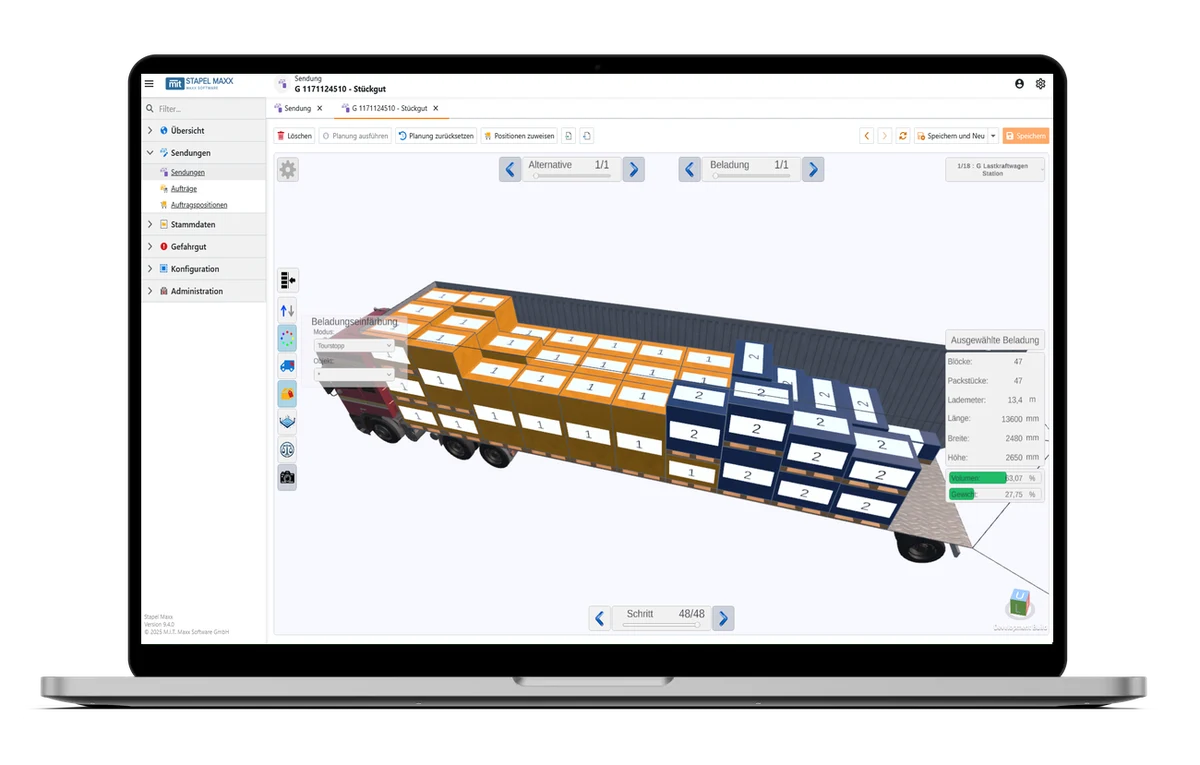
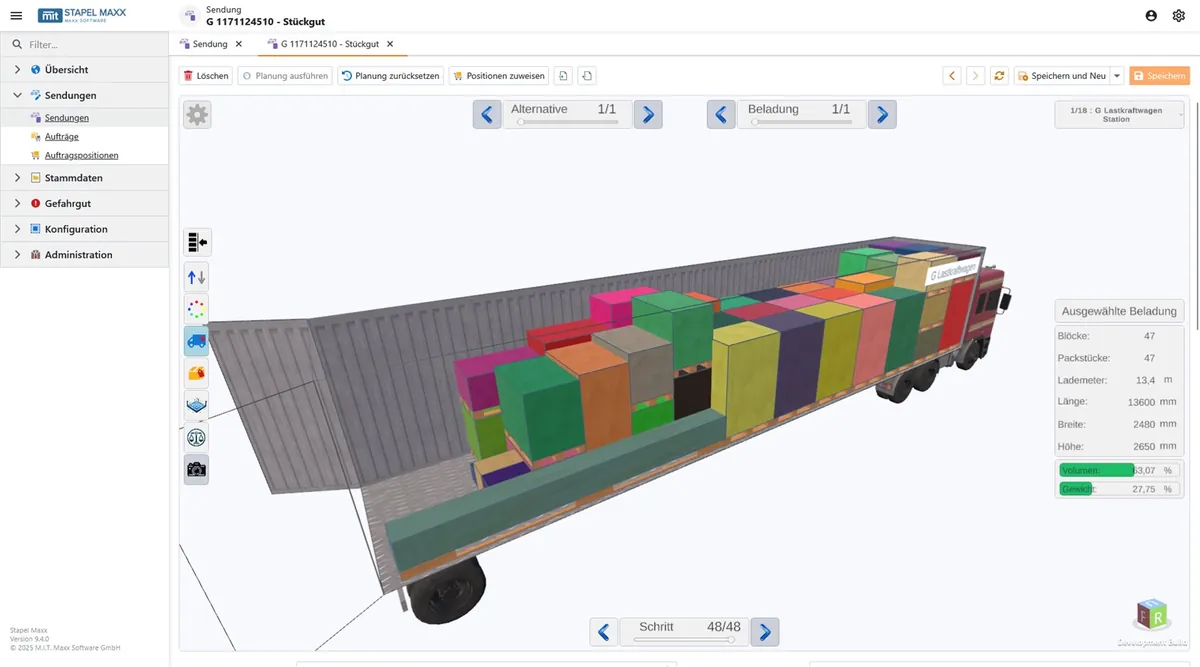
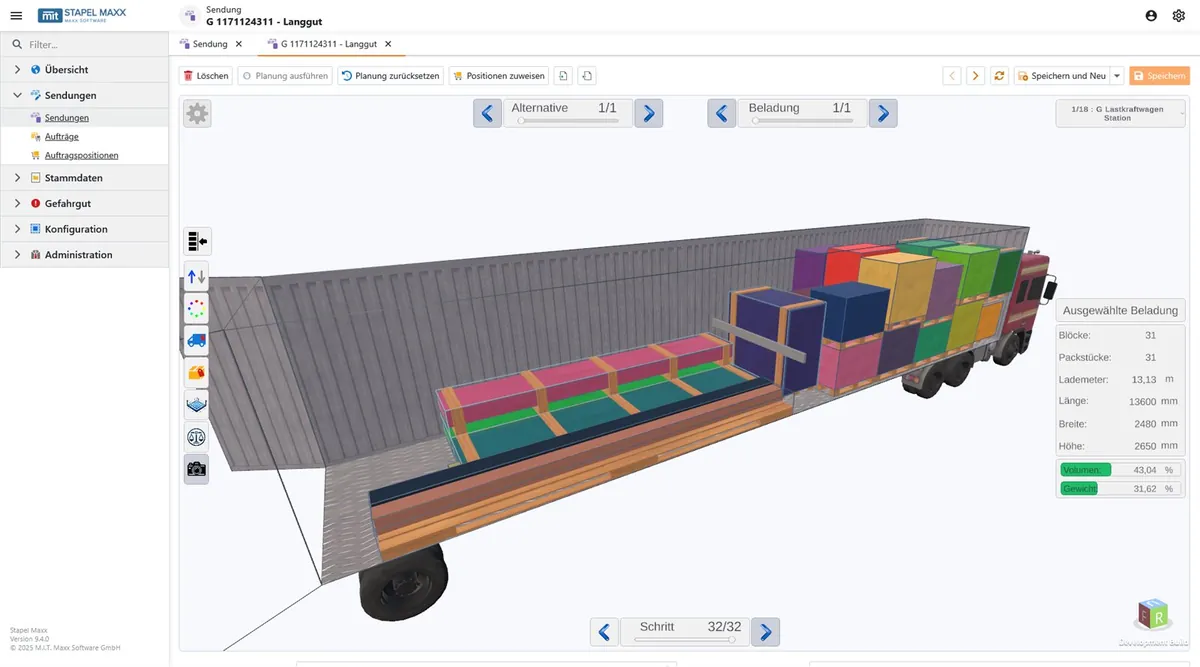
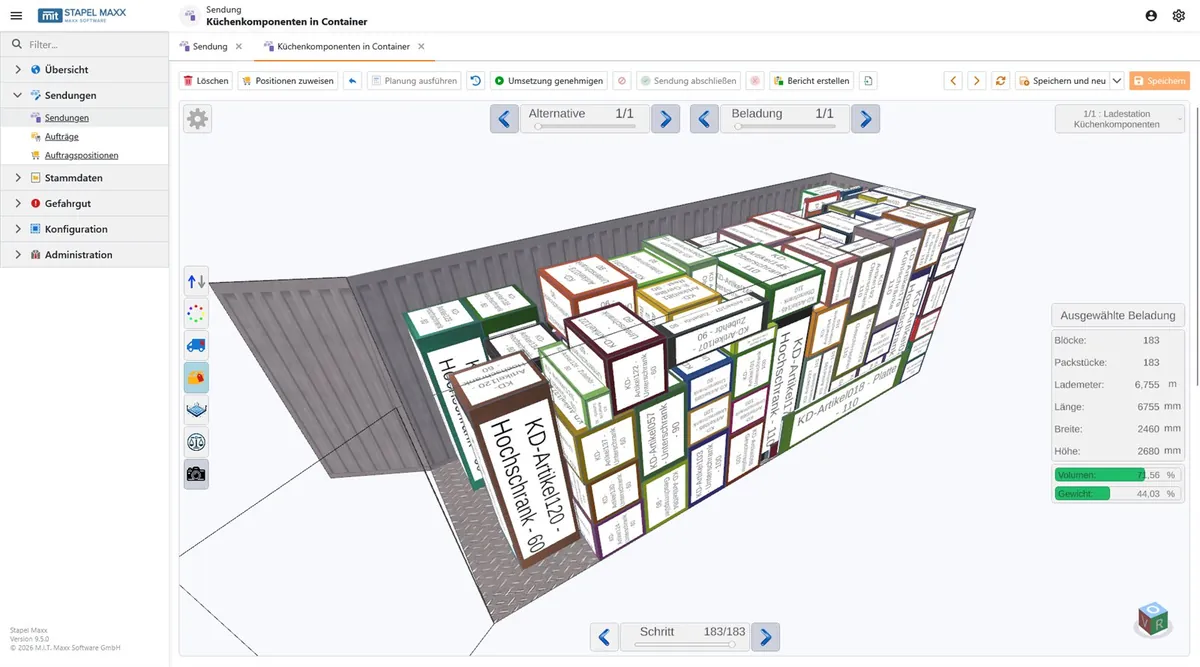
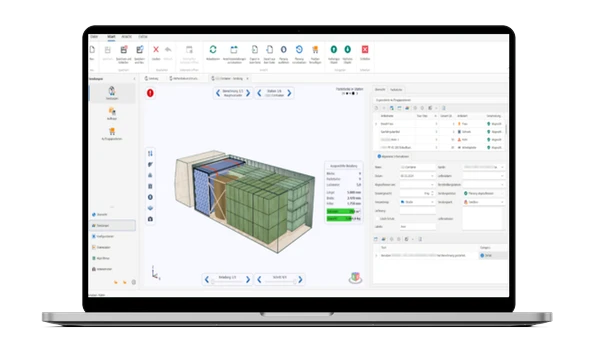
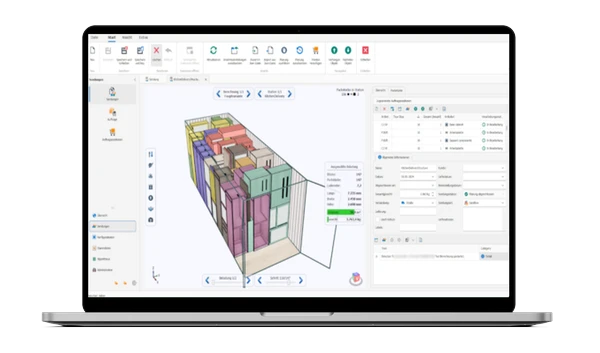
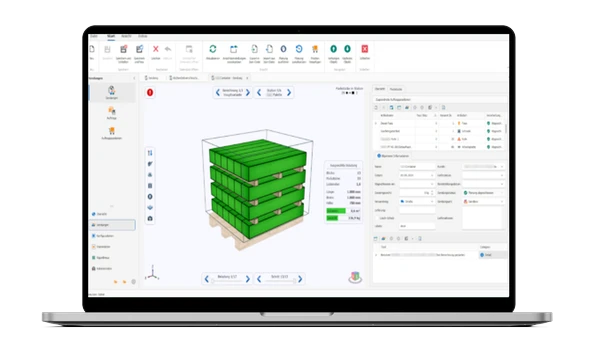
Simulate loading in 3D
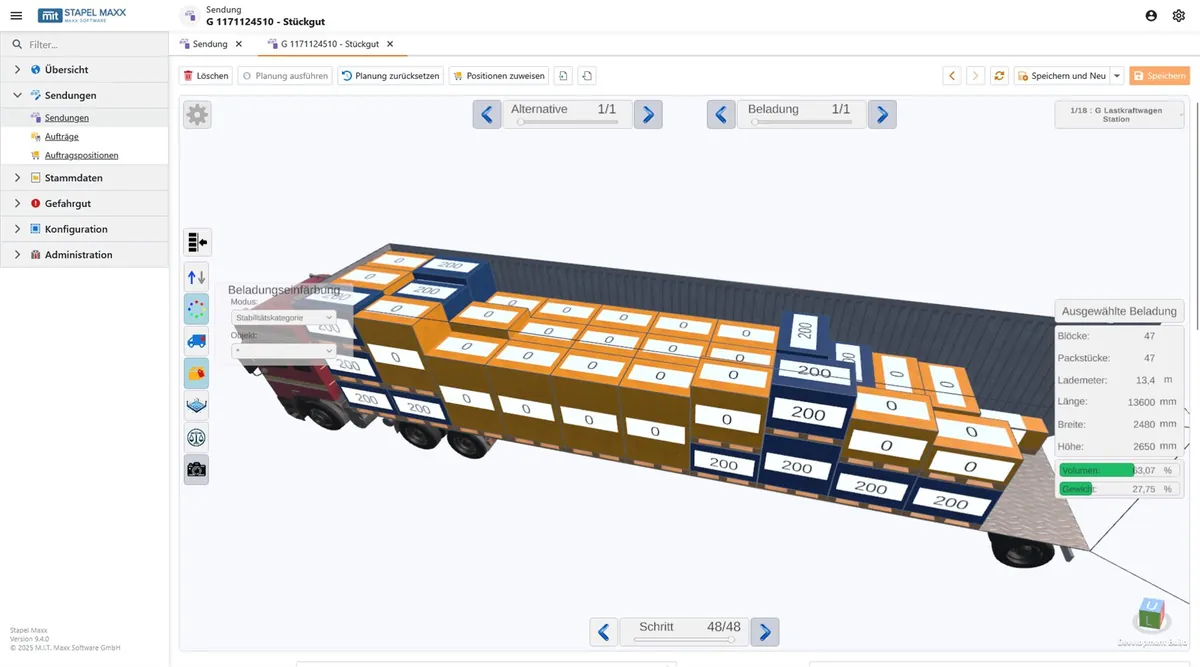
The integrated 3D viewer shows every loading proposal as a rotatable model with zoom. Packages can be moved and highlighted manually — so you check stacking, weight distribution and sequence before the first pallet is loaded.
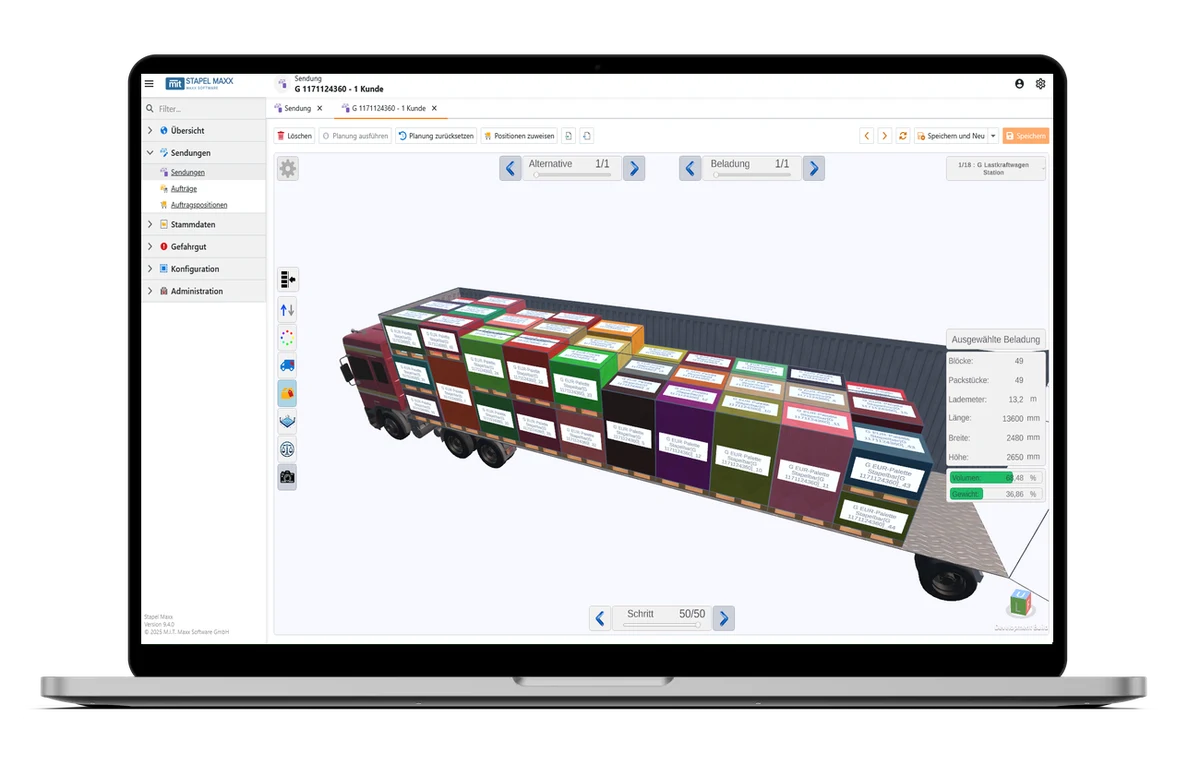
What you gain in concrete terms.
Measurable results in logistics, shipping and production.
Reduce transport budgets
Optimized processes noticeably lower planning, loading and transport costs.
Efficient loading
The high-performance algorithm makes optimal use of every cargo space.
Standalone & flexible
Runs as standalone software and connects to existing ERP and WMS systems via interface — including ERP MAXX.
Individually tailored
Set up for your packing and loading strategies — from long goods to small parts.
See STAPEL MAXX in action.
From optimization to 3D simulation — everything clearly at a glance.
Flexibly scalable. Transparently priced.
All plans without setup fee. Personal support included.
Try risk-free — the first 14 days are free.
* Prices are net prices per user/month plus VAT. | Professional: min. 3 licenses
All features at a glance.
Compare the plans in detail.
| Basic | Professional | Enterprise | |
|---|---|---|---|
| Access via visually appealing, highly customizable web interface | ✔ | ✔ | ✔ |
| Support for multiple browsers, languages, zoom levels and color schemes | ✔ | ✔ | ✔ |
| Responsive web design supports different screen sizes | ✔ | ✔ | ✔ |
| Sort, group and filter rows in list views | ✔ | ✔ | ✔ |
| Show/hide, rename, sort and group columns in list views | – | ✔ | ✔ |
| Show/hide, rename, move and group editors in detail views | – | ✔ | ✔ |
| Open views directly via URL and share as link | ✔ | ✔ | ✔ |
| Basic | Professional | Enterprise | |
|---|---|---|---|
| View, create, edit, link, duplicate and delete records | ✔ | ✔ | ✔ |
| Create packages incl. dimensions, weights, stackability and rotatability and bundle into shipments | ✔ | ✔ | ✔ |
| Create articles incl. packaging units (e.g. cartons, crates, pallets, barrels, rolls) | – | ✔ | ✔ |
| Define article dimensions and weights to the millimeter and gram, including variable sizes | – | ✔ | ✔ |
| Set stackability and rotatability of articles | – | ✔ | ✔ |
| Define packaging rules to apply with filter criteria | – | ✔ | ✔ |
| Store hazardous goods incl. classifications, compatibility groups and special provisions | – | – | ✔ |
| Create optional delivery customers and their delivery addresses | – | ✔ | ✔ |
| Bundle articles and customers in orders and shipments (e.g. by tour stops) | – | ✔ | ✔ |
| Configure multi-stage loading processes with loading stations and calculation logic | – | ✔ | ✔ |
| Define available loading equipment per station (e.g. cartons, pallets, containers, trucks) | ✔ | ✔ | ✔ |
| Precisely define dimensions and payloads of loading equipment, including variable sizes | ✔ | ✔ | ✔ |
| Define stackability and rotatability of loading equipment (for multi-stage processes) | – | ✔ | ✔ |
| Configure maximum axle loads and associated trailers of vehicles | – | ✔ | ✔ |
| Basic | Professional | Enterprise | |
|---|---|---|---|
| Calculate optimized loading plans for ideal placement of packages in loading equipment | ✔ | ✔ | ✔ |
| Determine the number of loading equipment units required to load all packages | ✔ | ✔ | ✔ |
| Optimize transport operations by objectives such as load utilization or loading time | – | ✔ | ✔ |
| Optimize transport operations across multiple loading stages (e.g. articles in cartons on pallets in containers) | – | ✔ | ✔ |
| Include dimensions and weights of packages and loading equipment in the calculation | ✔ | ✔ | ✔ |
| Include stackability and rotatability of packages and loading equipment in the calculation | ✔ | ✔ | ✔ |
| Include predefined loading sequences in the calculation | ✔ | ✔ | ✔ |
| Include axle loads and trailers of vehicles in the calculation | – | ✔ | ✔ |
| Include applicable packaging rules of articles in the calculation | – | ✔ | ✔ |
| Include hazardous goods and load securing requirements in the calculation | – | – | ✔ |
| Basic | Professional | Enterprise | |
|---|---|---|---|
| High-performance 3D view thanks to efficient on-demand rendering, even on low-end devices | ✔ | ✔ | ✔ |
| Convenient control via mouse, keyboard or touch | ✔ | ✔ | ✔ |
| Move and rotate 3D camera freely | ✔ | ✔ | ✔ |
| Manually position and rotate packages freely | – | ✔ | ✔ |
| Switch between multiple loading stations and loading alternatives | – | ✔ | ✔ |
| Show/hide individual loading steps of all loadings | ✔ | ✔ | ✔ |
| Set order and color coding of loading steps | – | ✔ | ✔ |
| Display context-dependent labels | ✔ | ✔ | ✔ |
| Display volume and weight utilization (relative/absolute) | ✔ | ✔ | ✔ |
| Display information panels for all relevant objects | – | ✔ | ✔ |
| View hazardous goods details incl. transport designations, hazard labels and warning panels | – | – | ✔ |
| Display floor grid for exact positioning | – | ✔ | ✔ |
| Display weight distribution and axle loads | – | ✔ | ✔ |
| Basic | Professional | Enterprise | |
|---|---|---|---|
| Create interactive, cross-object dashboards (using integrated dashboard designer) | – | ✔ | ✔ |
| Design formatted, data-based report documents (using integrated report designer) | – | ✔ | ✔ |
| Explore dashboard and report designers via detailed documentation | – | ✔ | ✔ |
| Generate illustrated loading plan documents with work steps according to report templates | ✔ | ✔ | ✔ |
| Basic | Professional | Enterprise | |
|---|---|---|---|
| Import and export orders, articles, customers etc. as Excel files, incl. table and column mapping | ✔ | ✔ | ✔ |
| Export and import calculated loading plans as JSON files | ✔ | ✔ | ✔ |
| Export generated report documents in numerous file formats (e.g. PDF, RTF, DOCX, XLSX, CSV, HTML) | ✔ | ✔ | ✔ |
| Manage program data and automate workflows via OData-compliant REST API | – | ✔ | ✔ |
| Use numerous optional OData features such as collection queries, deep updates and batch requests | – | – | ✔ |
| Reuse existing OData clients and knowledge | – | ✔ | ✔ |
| Explore API endpoints and schemas via OpenAPI-compliant documentation | – | ✔ | ✔ |
| Interactive API reference incl. test function and client code generation | – | – | ✔ |
| Basic | Professional | Enterprise | |
|---|---|---|---|
| Centrally manage users and roles and define access rights for web app and web API | – | ✔ | ✔ |
| Control user interface customization rights on a role basis | – | ✔ | ✔ |
| Define read, write, create and delete rights for records and their properties | – | ✔ | ✔ |
| Control rights for using navigation items and view actions on a role basis | – | ✔ | ✔ |
| View activity times of individual users | – | – | ✔ |
| Basic | Professional | Enterprise | |
|---|---|---|---|
| Customize display and interaction behavior of records | – | – | ✔ |
| Customize dynamic appearance rules for records | – | – | ✔ |
| Customize contextual validation rules for records | – | – | ✔ |
| Customize elements and layouts of views | – | ✔ | ✔ |
| Customize available navigation items and view actions | – | – | ✔ |
| Customize displayed translation texts and graphic symbols | – | – | ✔ |
Request your
brochure now.
Get all the details about STAPEL MAXX as a PDF — free and without obligation.
Our English brochure request form is coming soon. In the meantime, please reach out directly — we're happy to help:
+49 (0) 551 3 07 64-91 info@mit-gmbh.com